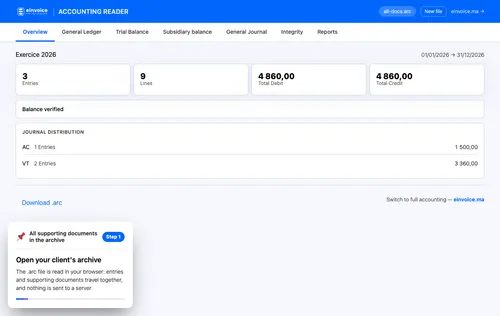
1 Open your client's archive Open your client's archive. The dot arc file is read in your browser: entries and supporting documents travel together, and nothing is sent to a server. ▾ ▶ 0:11
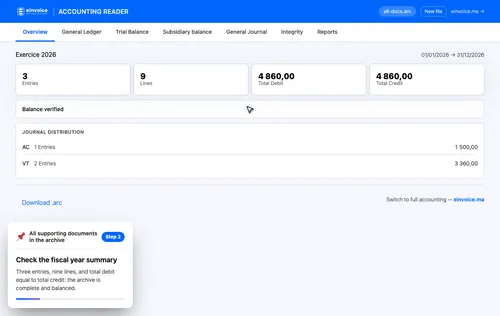
2 Check the fiscal year summary Check the fiscal year summary. Three entries, nine lines, and total debit equal to total credit: the archive is complete and balanced. ▾ ▶ 0:23
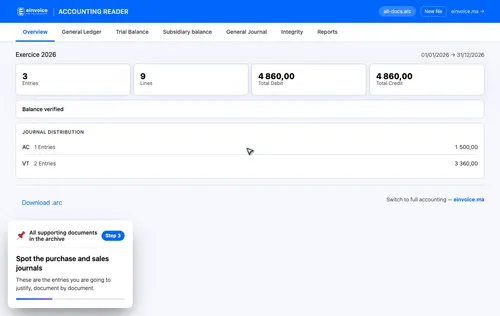
3 Spot the purchase and sales journals Spot the purchase and sales journals. These are the entries you are going to justify, document by document. ▾ ▶ 0:32
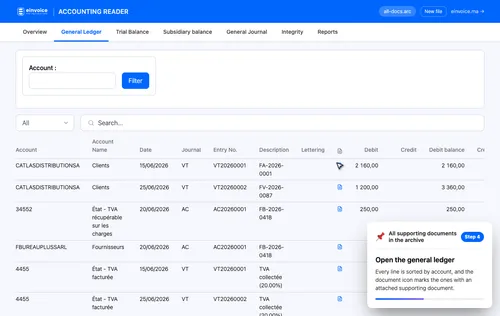
4 Open the general ledger Open the general ledger. Every line is sorted by account, and the document icon marks the ones with an attached supporting document. ▾ ▶ 0:40
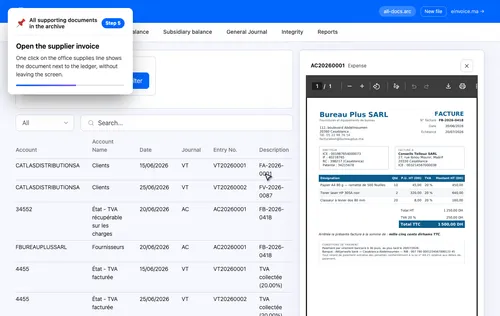
5 Open the supplier invoice Open the supplier invoice. One click on the office supplies line shows the document next to the ledger, without leaving the screen. ▾ ▶ 0:48
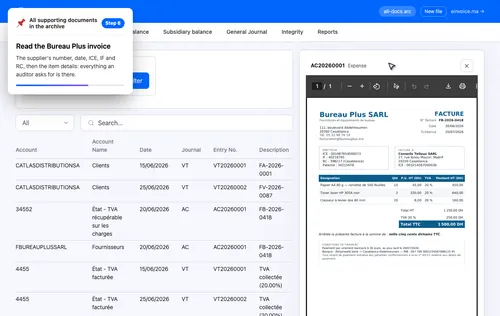
6 Read the Bureau Plus invoice Read the Bureau Plus invoice. The supplier's number, date, I.C.E., tax ID and trade register number, then the item details: everything an auditor asks for is there. ▾ ▶ 0:58
Why the document matters. Without a compliant invoice, recoverable V.A.T. can be rejected in a tax audit. The document amounts must therefore match the entry.
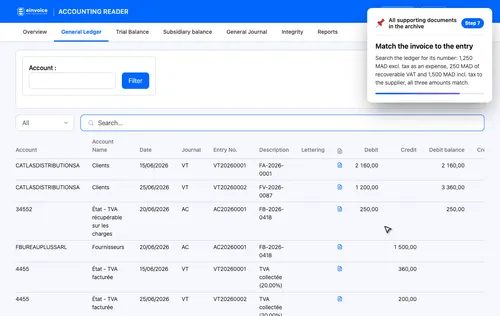
7 Match the invoice to the entry Match the invoice to the entry. Search the ledger for its number: one thousand two hundred fifty dirhams excluding tax as an expense, two hundred fifty dirhams of recoverable V.A.T., and one thousand five hundred dirhams including tax to the supplier, all three amounts match. ▾ ▶ 1:22
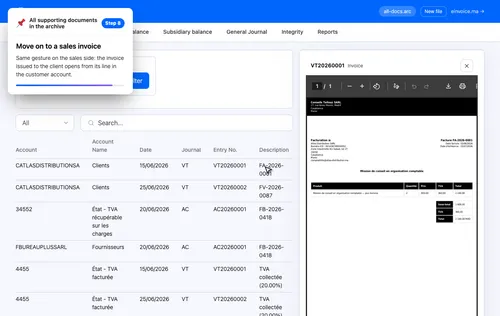
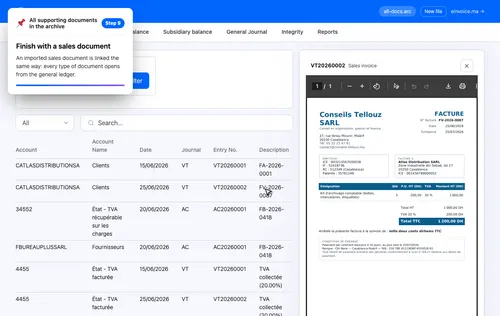
8 Move on to a sales invoice Move on to a sales invoice. Same gesture on the sales side: the invoice issued to the client opens from its line in the customer account. ▾ ▶ 1:39
9 Finish with a sales document Finish with a sales document. An imported sales document is linked the same way: every type of document opens from the general ledger. ▾ ▶ 1:48