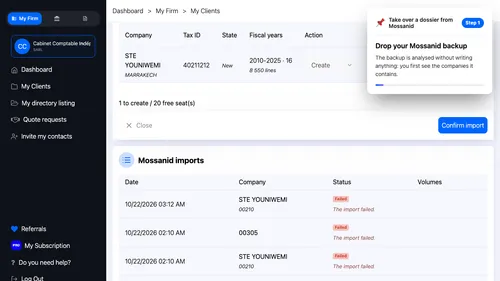
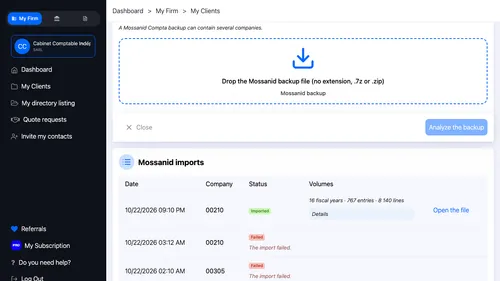
1 Send the backup Drop your Mossanid backup. The backup is analysed without writing anything: you first see the companies it contains. ▾ ▶ 0:12
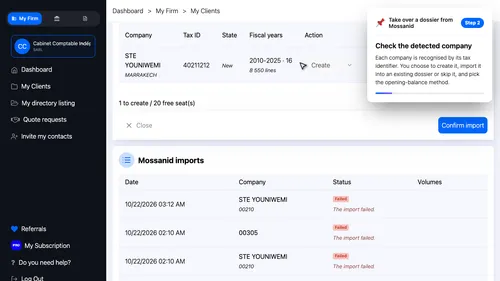
2 Choose the companies Each company is recognised by its tax identifier, the I F. You choose to create it, import it into an existing dossier or skip it, and pick the opening-balance method. ▾ ▶ 0:20
3 Read the import report Confirm the import. The report gives the number of fiscal years, accounts, journals and entries carried over, and what is not carried over yet. ▾ ▶ 0:31
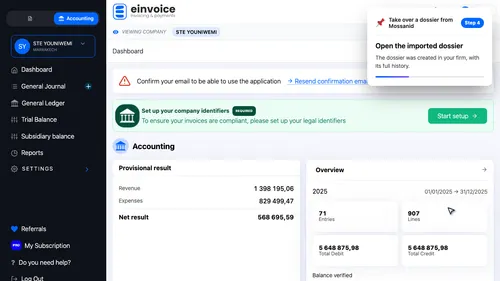
4 Open the new dossier Open the imported dossier. The dossier was created in your firm, with its full history. ▾ ▶ 0:48
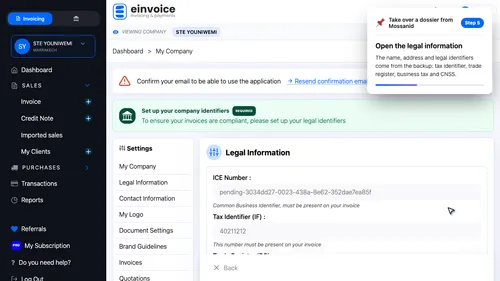
5 The company file The name, address and legal identifiers come from the backup: the I F, the R C, the business tax number and the C N S S. ▾ ▶ 0:56
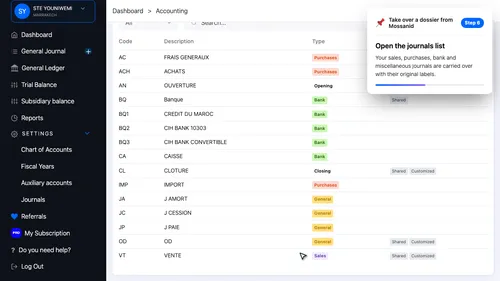
6 The journals Open the journals list. Your sales, purchases, bank and miscellaneous journals are carried over with their original labels. ▾ ▶ 1:07
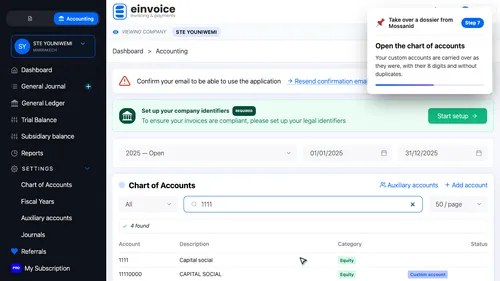
7 The chart of accounts Your custom accounts are carried over as they were, with their eight digits and without duplicates. ▾ ▶ 1:18
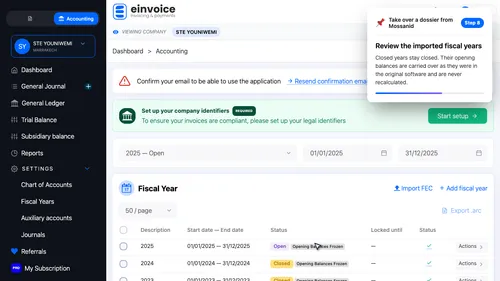
8 Fiscal years and frozen opening balances Closed years stay closed. Their opening balances are carried over as they were in the original software and are never recalculated. ▾ ▶ 1:25
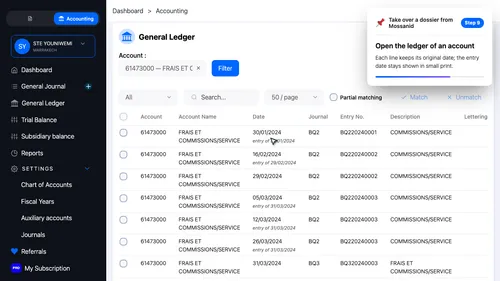
9 The original dates Open the ledger of an account. Each line keeps its original date; the entry date stays shown in small print. ▾ ▶ 1:35
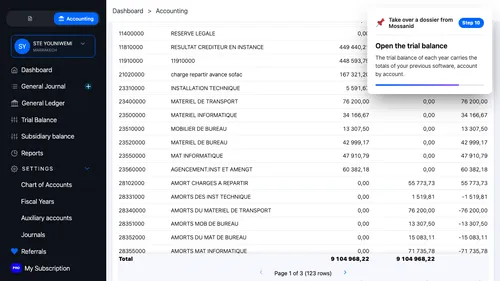
10 The trial balance Open the trial balance. The trial balance of each year carries the totals of your previous software, account by account. ▾ ▶ 1:43
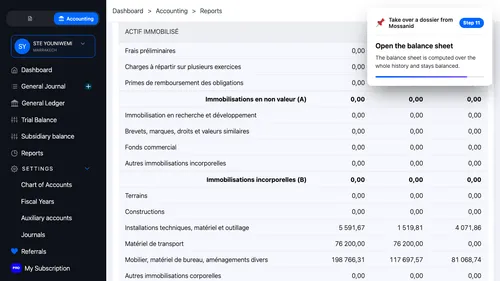
11 The balance sheet Open the balance sheet. The balance sheet is computed over the whole history and stays balanced. ▾ ▶ 1:51
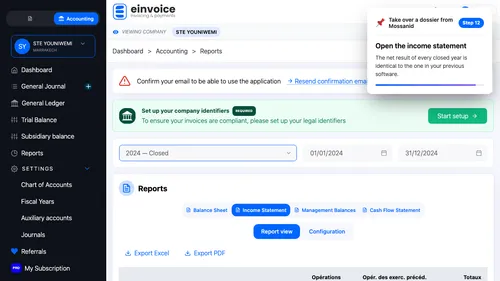
12 Find your results again Open the C P C, the income statement. The net result of every closed year is identical to the one in your previous software. ▾ ▶ 1:59
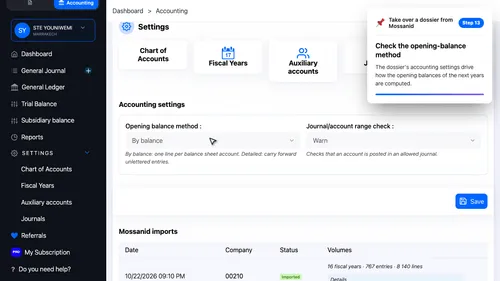
13 The dossier settings The dossier's accounting settings drive how the opening balances of the next years are computed. ▾ ▶ 2:08