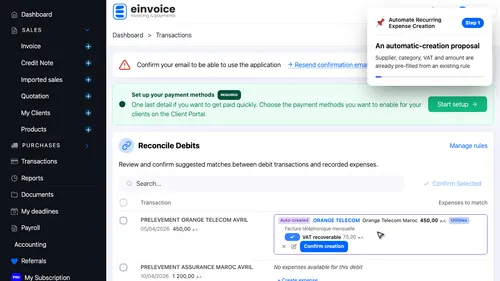
1 tutorial.reconciliation_rules.review_proposal.voiceText tutorial.reconciliation_rules.review_proposal.voiceText ▾ ▶ 0:13
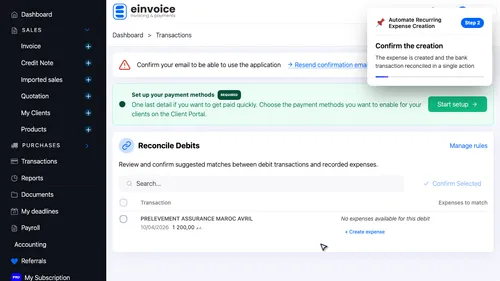
2 Confirm the creation Confirm the creation. The expense is created and the bank transaction reconciled in a single action ▾ ▶ 0:20
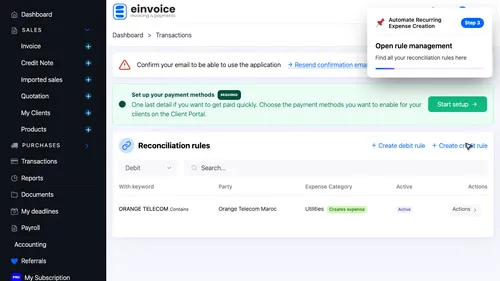
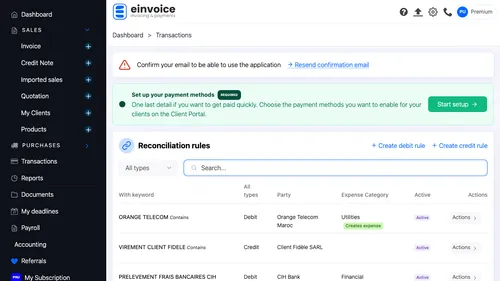
3 Open rule management Open rule management. Find all your reconciliation rules here ▾ ▶ 0:27
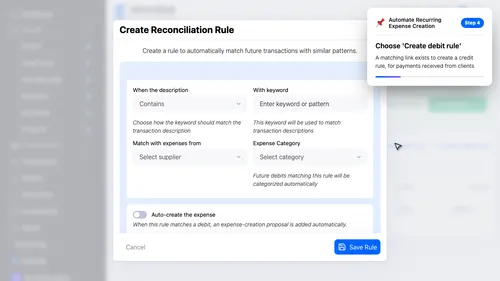
4 Choose 'Create debit rule' Choose 'Create debit rule'. A matching link exists to create a credit rule, for payments received from clients ▾ ▶ 0:32
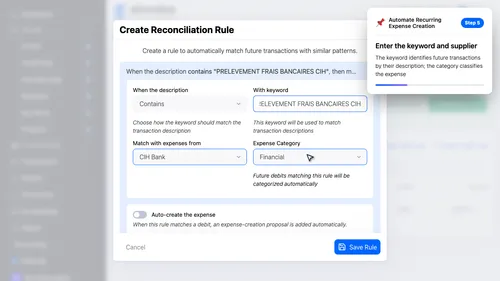
5 Enter the keyword and supplier Enter the keyword and supplier. The keyword identifies future transactions by their description; the category classifies the expense ▾ ▶ 0:41
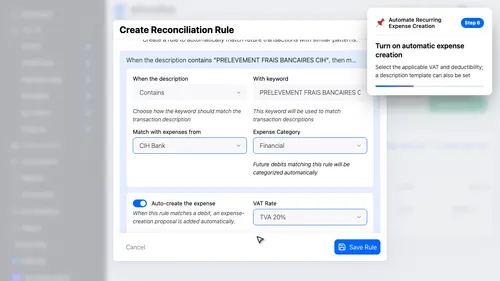
6 tutorial.reconciliation_rules.toggle_auto_create.voiceText tutorial.reconciliation_rules.toggle_auto_create.voiceText ▾ ▶ 0:51
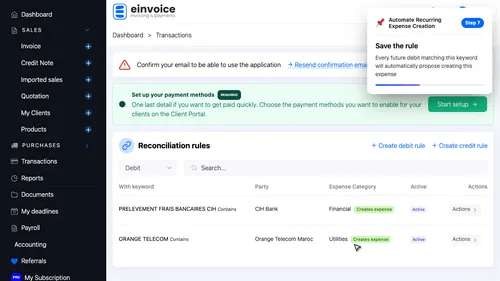
7 Save the rule Save the rule. Every future debit matching this keyword will automatically propose creating this expense ▾ ▶ 1:02
What If No Rule Exists Yet?. Create the expense manually as usual — the app will then offer to save a rule from it.
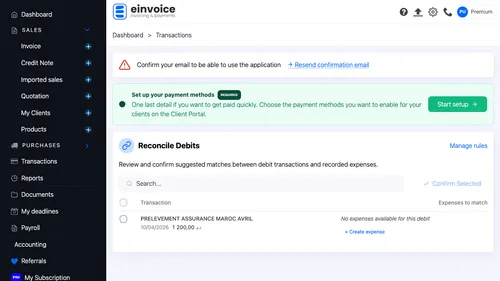
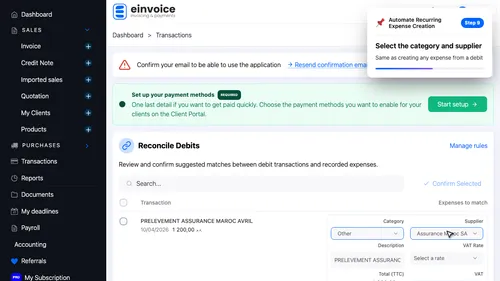
8 Return to the debit list Return to the debit list. Another recurring debit is still waiting for a match ▾ ▶ 1:17
9 Select the category and supplier Select the category and supplier. Same as creating any expense from a debit ▾ ▶ 1:23
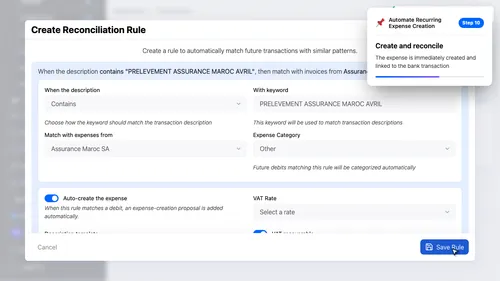
10 Create and reconcile Create and reconcile. The expense is immediately created and linked to the bank transaction ▾ ▶ 1:33
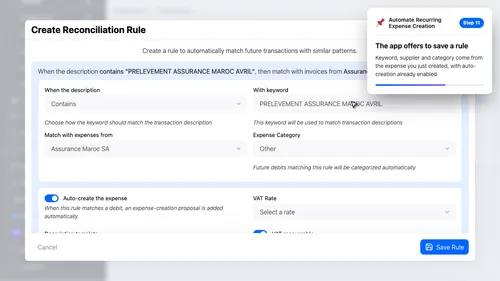
11 The app offers to save a rule The app offers to save a rule. Keyword, supplier and category come from the expense you just created, with auto-creation already enabled ▾ ▶ 1:40
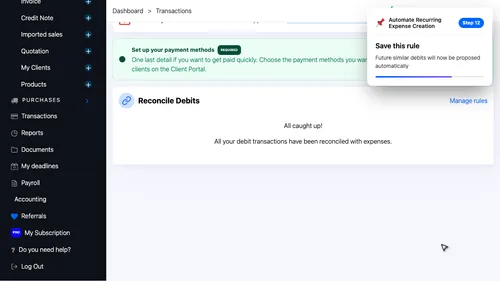
12 Save this rule Save this rule. Future similar debits will now be proposed automatically ▾ ▶ 1:52
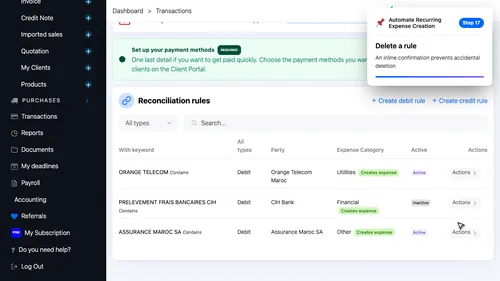
Manage All Your Rules. Search, filter, activate, edit or delete your reconciliation rules from a dedicated page.
13 Search for a rule Search for a rule. Search filters instantly by keyword ▾ ▶ 2:07
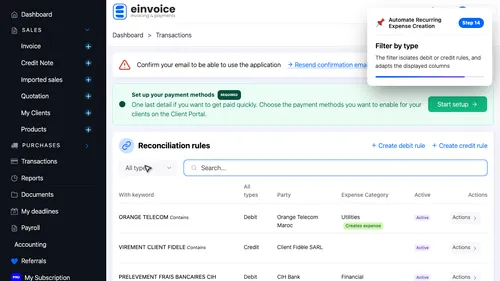
14 Filter by type Filter by type. The filter isolates debit or credit rules, and adapts the displayed columns ▾ ▶ 2:11
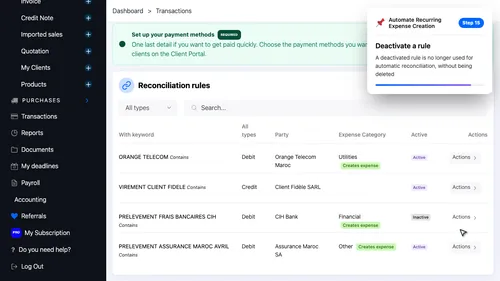
15 Deactivate a rule Deactivate a rule. A deactivated rule is no longer used for automatic reconciliation, without being deleted ▾ ▶ 2:19
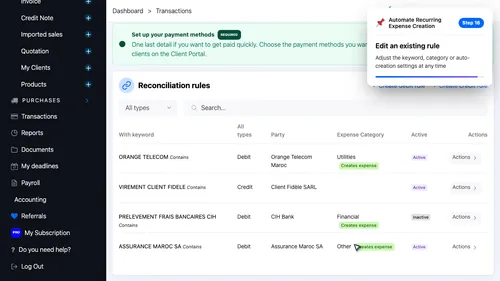
16 Edit an existing rule Edit an existing rule. Adjust the keyword, category or auto-creation settings at any time ▾ ▶ 2:29
17 Delete a rule Delete a rule. An inline confirmation prevents accidental deletion ▾ ▶ 2:39