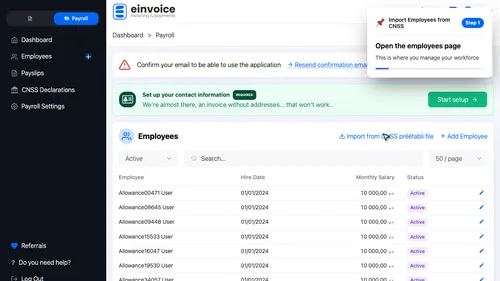
1 Employees Page Open the employees page. This is where you manage your workforce ▾ ▶ 0:07
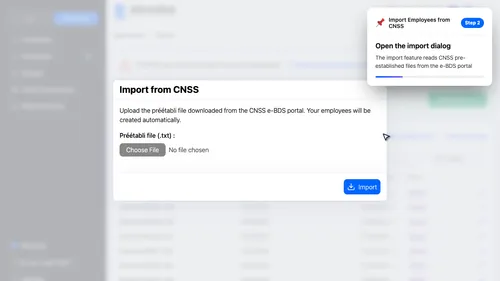
2 Import Dialog Open the import dialog. The import feature reads CNSS pre-established files from the e-BDS portal ▾ ▶ 0:12
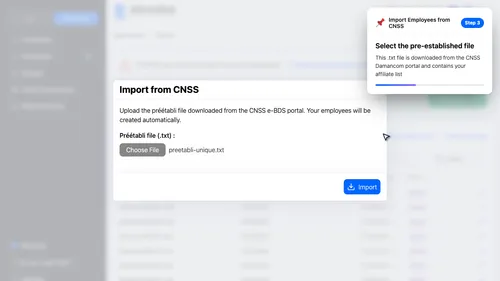
3 Upload File Select the pre-established text file. This file is downloaded from the CNSS Damancom portal and contains your registered affiliates. ▾ ▶ 0:20
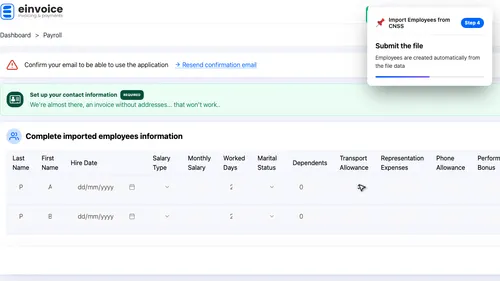
4 Import Employees Submit the file. Employees are created automatically from the file data ▾ ▶ 0:29
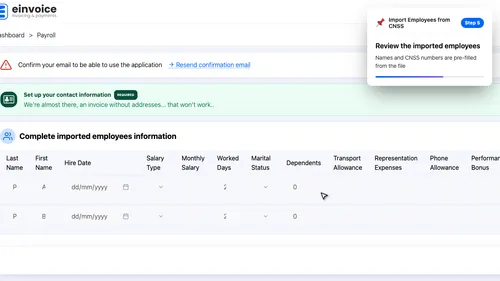
Complete Employee Information. The imported employees need additional details like hire date and salary. A review grid lets you fill everything at once.
5 Review Grid Review the imported employees. Names and CNSS numbers are pre-filled from the file ▾ ▶ 0:47
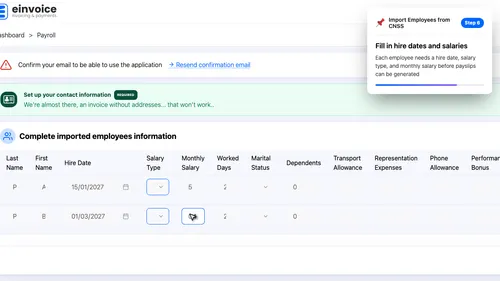
6 Employee Details Fill in hire dates and salaries. Each employee needs a hire date, salary type, and monthly salary before payslips can be generated ▾ ▶ 0:55
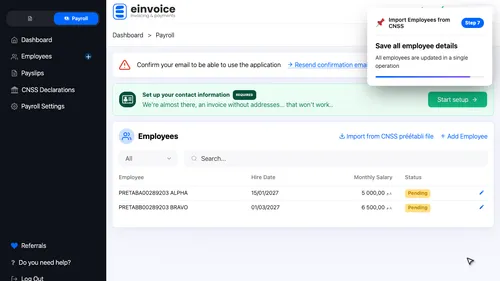
7 Save All Save all employee details. All employees are updated in a single operation ▾ ▶ 1:09
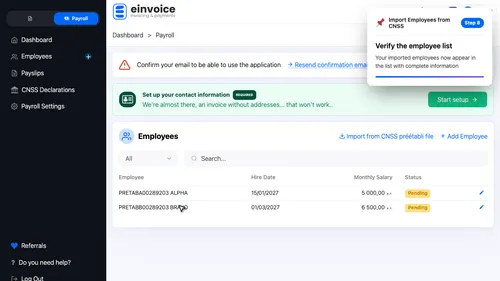
8 Employees Ready Verify the employee list. Your imported employees now appear in the list with complete information ▾ ▶ 1:16