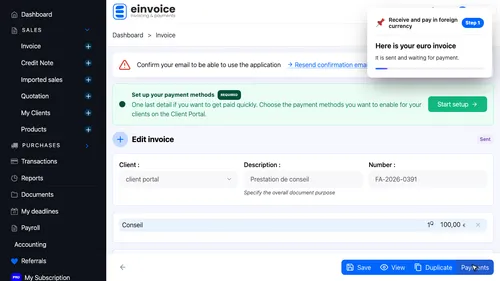
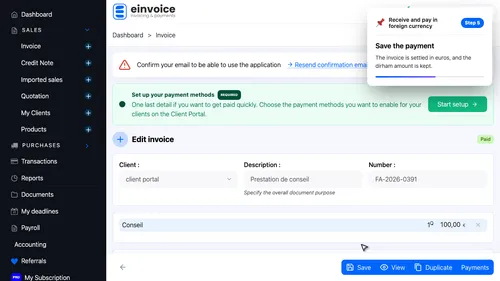
1 An invoice in euros Here is your euro invoice. It is sent and waiting for payment. ▾ ▶ 0:11
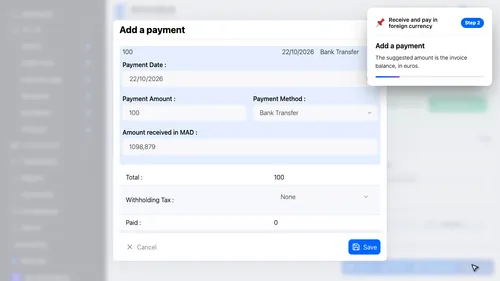
2 Add the payment Add a payment. The suggested amount is the invoice balance, in euros. ▾ ▶ 0:17
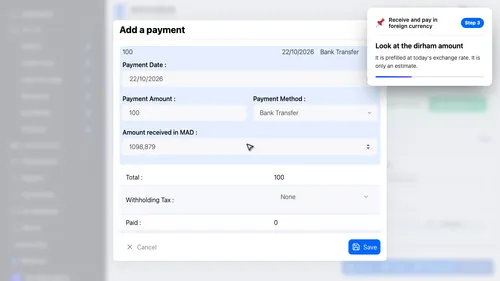
3 The amount in dirhams Look at the dirham amount. It is prefilled at today's exchange rate. It is only an estimate. ▾ ▶ 0:23
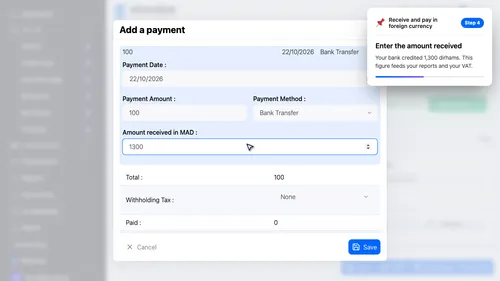
4 The amount really received Enter the amount received. Your bank credited 1,300 dirhams. This figure feeds your reports and your V.A.T. ▾ ▶ 0:29
5 Save Save the payment. The invoice is settled in euros, and the dirham amount is kept. ▾ ▶ 0:38
On the expense side. Same logic for a supplier bill in euros: you enter what you really paid in dirhams.
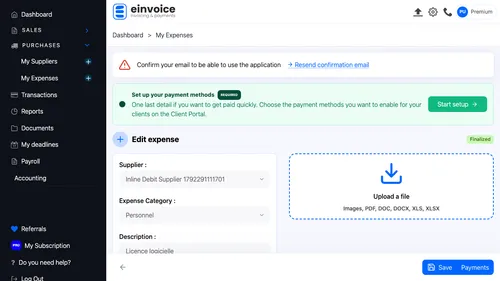
6 An expense in euros Open the euro expense. It is finalized and still to be paid. ▾ ▶ 0:54
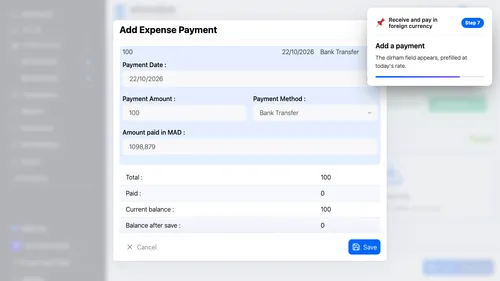
7 Add the payment Add a payment. The dirham field appears, prefilled at today's rate. ▾ ▶ 0:59
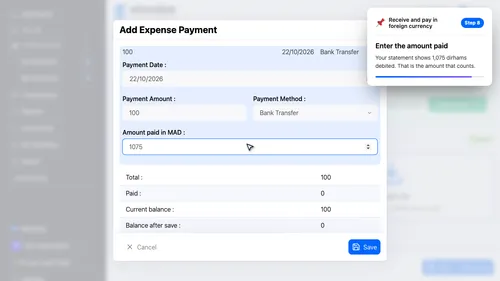
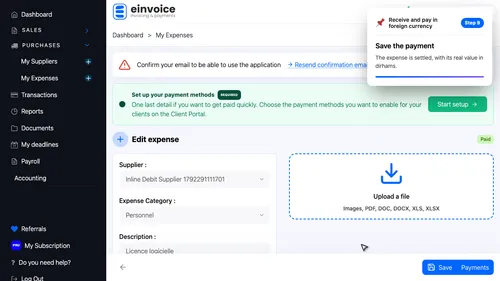
8 The amount really paid Enter the amount paid. Your statement shows 1,075 dirhams debited. That is the amount that counts. ▾ ▶ 1:06
9 Save Save the payment. The expense is settled, with its real value in dirhams. ▾ ▶ 1:15