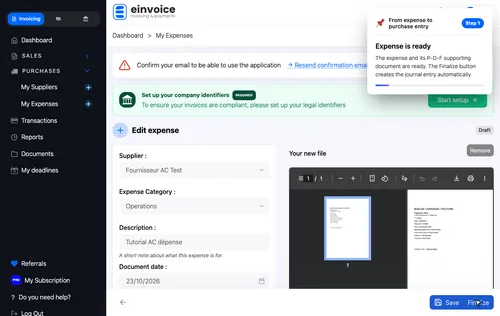
1 The expense is in draft with its supporting document The expense is in draft with its supporting document. One click on Finalize creates the purchase entry. ▾ ▶ 0:12
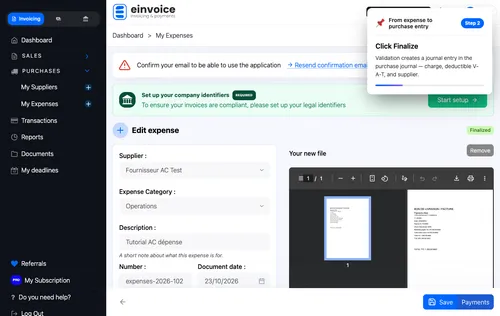
2 One click on Finalize One click on Finalize. The A-C entry is created automatically. ▾ ▶ 0:20
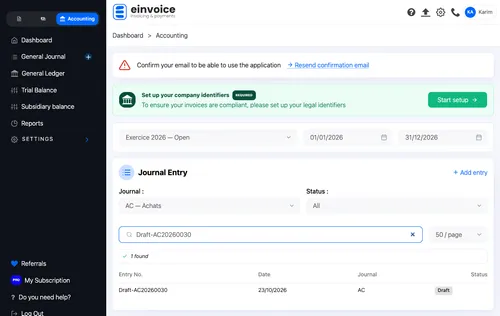
3 The draft entry is in the A-C journal The draft entry is in the A-C journal. Click it to see the detail. ▾ ▶ 0:25
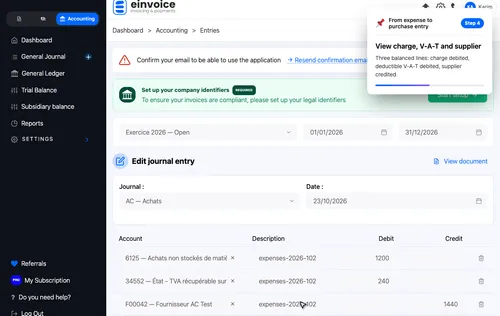
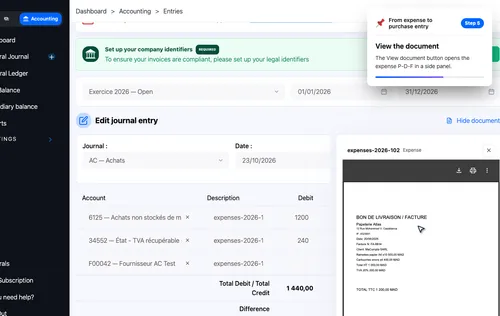
4 Charge debited, deductible V-A-T debited, supplier credited Charge debited, deductible V-A-T debited, supplier credited. Balanced entry. ▾ ▶ 0:31
5 The View document button shows the expense P-D-F The View document button shows the expense P-D-F. Direct verification without leaving the entry. ▾ ▶ 0:43
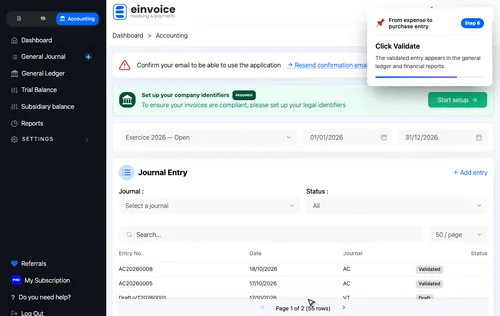
6 One click on Validate One click on Validate. The entry moves from draft to validated. ▾ ▶ 0:51
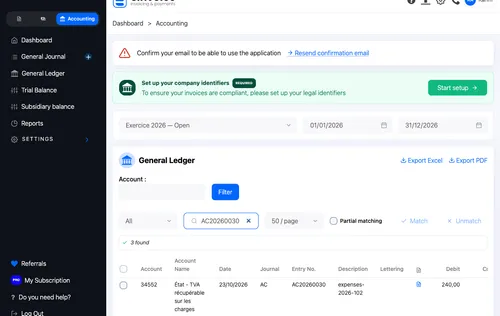
7 The validated entry is in the general ledger The validated entry is in the general ledger. Balances are updated. ▾ ▶ 0:56
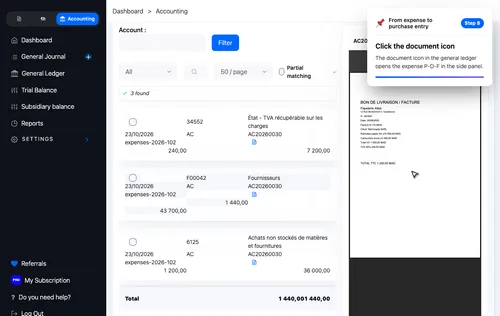
8 In the general ledger, the document icon opens the P-D-F directly In the general ledger, the document icon opens the P-D-F directly. Verification without leaving the page. ▾ ▶ 1:05